 cults3d
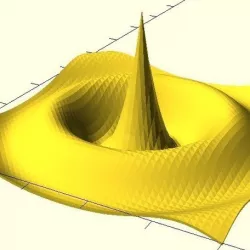
3D function plotter for Customizer / OpenSCAD
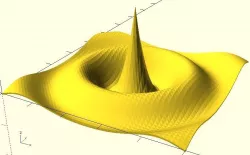
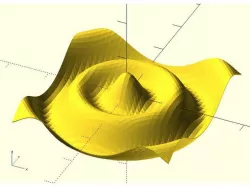
This is an easy to use 3D surface plotter. Use the Customizer to change the function plotted and the range.
To use in your own code, call graphFunction3D(function,minX,minY,maxX,maxY) where the function is a string such as "exp(-x^2-y^2)" (for more details, see here). By default a surface of smallish thickness is drawn. Here are some options:
surfaceThickness=dz: change the thickness of the surface
flatMinimumThickness=dz: does a flat-bottomed graph; dz specifies the minimum thickness (set to 0 for an automatic smallish thickness)
bottomFunction=f: specifies a function for the bottom of the graph
There are also makePointList() and makeFaceList() functions that generate the arguments for a polyhedron().
This demonstrates and uses my function parser. The standalone version bundles the parser.
Update: May 17, 2017: Rewrote to generate whole polyhedron at once and to use my own code. :-)
Direct link to the original creator's page
Also Available On
More from arpruss

Similar Models
 thingiverse
 thingiverse
 myminifactory
 thingiverse
 thingiverse
 thingiverse
 cults3d
 thingiverse
Model Specifications
Frequently Asked Questions
How do I download 3D function plotter for Customizer / OpenSCAD?
Click the "View on cults3d" button above to visit the original model page on cults3d. You can download the STL file directly from the creator's page.
What 3D printer can I use for this model?
This STL file is compatible with most FDM 3D printers (Creality Ender 3, Prusa MK3S+, Bambu Lab, etc.) and resin printers (Elegoo, Anycubic). Check the original page for recommended print settings and materials.
Is this 3D model free to download?
This is a premium model priced at on cults3d. Premium models often include higher detail, multiple parts, and print-tested files.
Can I modify this STL file?
Most STL files can be modified using free software like Blender, TinkerCAD, or Meshmixer. Check the license on the original cults3d page to see if modifications are permitted by the creator.