 thingiverse
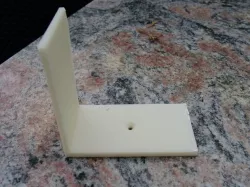
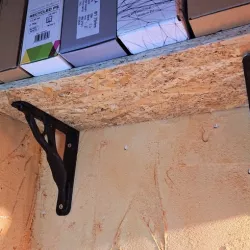
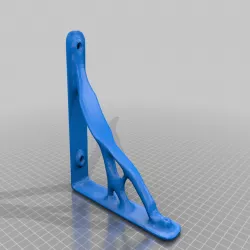
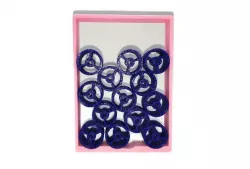
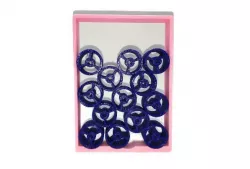
Problem bracket
Cannot generate correct gcode for this stl file with sf35.
I tried different settings but there is always a problem, either with an incomplete layer or printing in the air. These problems are reproducible: you can see that the gcode is wrong when using a tool such as Pleasant3D.
When I accidentally made the hole in the object too large (first attempt) there was no problem. When I lay the object flat on the base for printing (rotate in repG) there is no problem but the object then lacks strenght.
When I remove the hole (in Sketchup) and print the object without hole there is no problem either...
Instructions
Try generating gcode that works for this, then print on Makerbot ToM or other 3D printer.
Update: rotate the object 180 degrees (around z-axis) and then it prints fine. Clearly a bug in skeinforge as this rotation should have no influence.
Direct link to the original creator's page
Also Available On
More from pauldebra
 thingiverse
 thingiverse
 thingiverse
 thingiverse
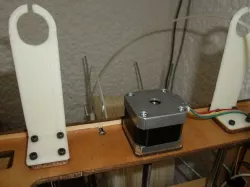 thingiverse
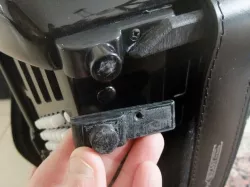 thingiverse
Similar Models
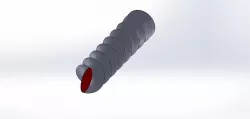
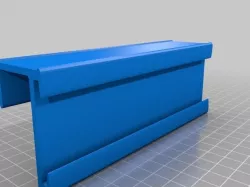
Model Specifications
Frequently Asked Questions
How do I download Problem bracket?
Click the "View on thingiverse" button above to visit the original model page on thingiverse. You can download the STL file directly from the creator's page for free.
What 3D printer can I use for this model?
This STL file is compatible with most FDM 3D printers (Creality Ender 3, Prusa MK3S+, Bambu Lab, etc.) and resin printers (Elegoo, Anycubic). Check the original page for recommended print settings and materials.
Is this 3D model free to download?
Yes, this model is available as a free download on thingiverse. Some creators accept tips or donations.
Can I modify this STL file?
Most STL files can be modified using free software like Blender, TinkerCAD, or Meshmixer. Check the license on the original thingiverse page to see if modifications are permitted by the creator.